Pictionary Phrase Generator
Draw a scene-based Pictionary phrase with a difficulty and theme that fit your round.
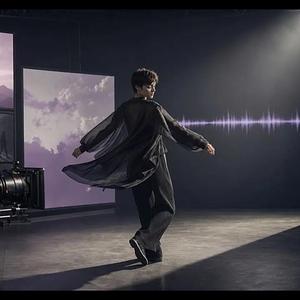
Multimodal AI video generation with native stereo sound.
Collart AI is an AI photo and video creation platform that appears to center on a visual workspace for generating, editing, and organizing media. Someone might care because the site frames it around practical creation workflows rather than a single novelty feature, but the website does not clearly state the full limits, pricing terms, or account requirements.
Collart AI is positioned as a tool for exploring AI photos and videos, with Collart AI Canvas described as a place to generate, edit, and organize images and videos in one workspace. It also surfaces features like AI Video, AI Image, AI Tools, AI Headshot, AI Effects, and a Fashion Video Generator. The main reason to take a look is to judge whether that mix matches your workflow and whether the missing details around pricing and usage limits are acceptable.
This looks best suited to users who want to make AI-generated photos or videos and prefer an interface that bundles creation and asset management together. It may also fit people who want to compare AI canvas-style tools against more focused generators. Verify the actual pricing, billing cadence, and any account or usage restrictions on the official website before committing.
What does Collart AI do?
It appears to be a platform for creating AI photos and videos, with a canvas-style workspace for generating, editing, and organizing media.
Does the website clearly explain pricing?
No. The website shows a pricing area and a 46% OFF offer, but it does not clearly state detailed plans, billing terms, or currency.
What should I verify before using it?
Check the official website for feature limits, account requirements, refund policy, and how it handles data retention or privacy controls.
It appears to be a platform for creating AI photos and videos, with a canvas-style workspace for generating, editing, and organizing media.
No. The website shows a pricing area and a 46% OFF offer, but it does not clearly state detailed plans, billing terms, or currency.
Check the official website for feature limits, account requirements, refund policy, and how it handles data retention or privacy controls.
Collart AI Review: AI Photos, Videos, and Canvas Tools
Collart AI appears to offer AI photo and video creation with a canvas workspace, asset library, and several related tools. Verify pricing and usage limits first.
This is an independent third-party profile of MiniMax H3 AI Video Generator and is not officially affiliated with the project.
This review is based on publicly available website information and may contain errors or outdated details. Please verify critical details on the official website.
Outbound links may include a referral parameter for attribution.
From the collection · Platform-maintained information, with AI-assisted analysis where available.
Alternatives and adjacent projects worth comparing.



domer.io
hypernatural.ai
videoinu.com
pixo.video
Simple tools related to this project's topics and use cases.
Draw a scene-based Pictionary phrase with a difficulty and theme that fit your round.
Create specific personality traits, relationships, and backstory details for original characters.
Add copyable Unicode glitch marks to text with light, standard, or heavy visual intensity.
Generate dwarven character names for fantasy stories, tabletop campaigns, clans, and mountain kingdoms.
Generate distinctive band names in indie, electronic, or rock styles for music projects and fictional groups.
Generate playful out-of-context dialogue prompts for characters, groups, fan works, and writing games.