
Productivity & Collaboration
Focus sessions, time estimates and a notes pad for Todoist's Today view, as a Chrome extension.
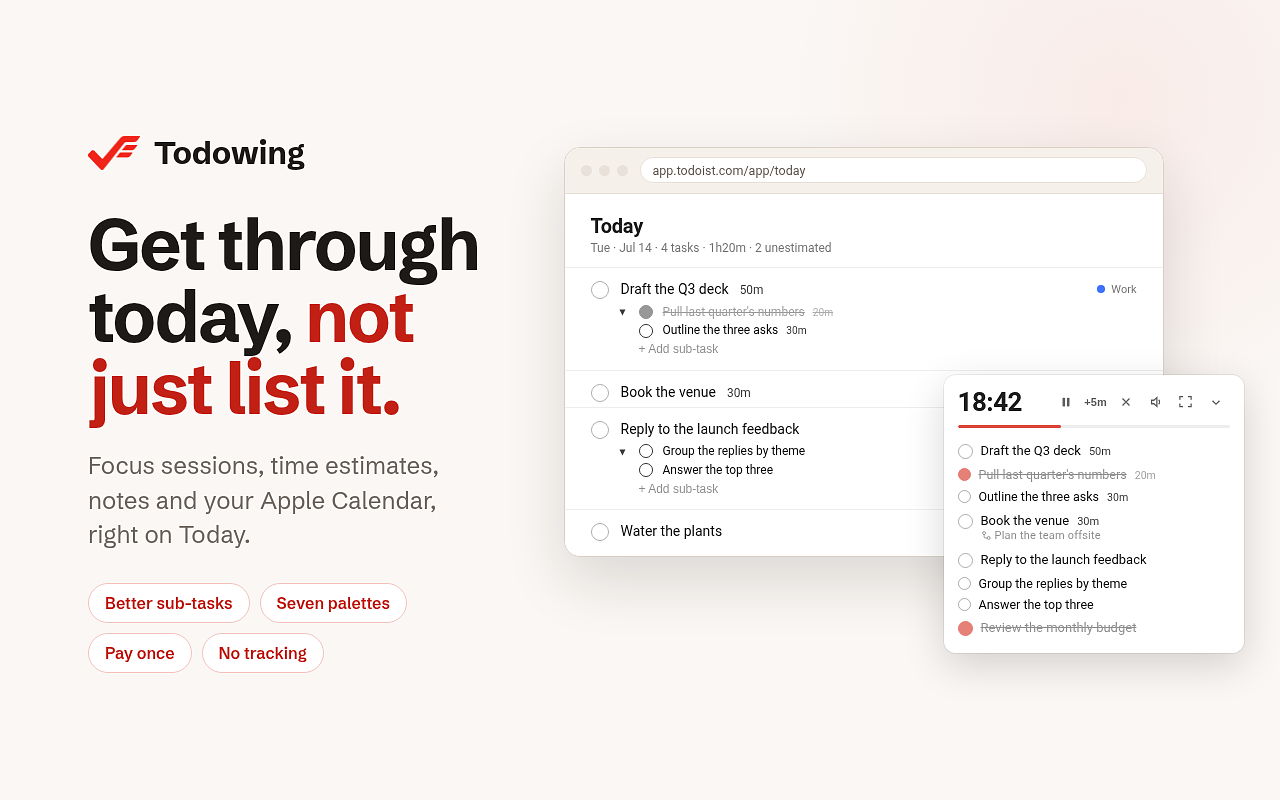
What Todowing helps you do
Todoist's Today view lists what is due but gives no sense of how long it all takes or which few tasks to do first. Todowing lets you pick a handful of tasks, put a time estimate on each, and run a focus countdown on them. The Today header totals the day's estimates, so you see an overloaded day before you start it.
Who Todowing is for
Todoist users, on any plan including the free one, who plan their day in the Today view and want to focus on a few tasks and time them. It runs in Chrome on the Todoist web app.
About Todowing from the developer
Todowing is an unofficial Chrome extension for the Todoist web app. It is not affiliated with Doist.
You choose a few tasks in Today and run a focus session on them. A countdown card sits beside the list, and one session runs across all your open tabs and survives a reload. Each task can carry a time estimate. The Today header totals the day, and the focus bar totals only the tasks you picked. A three-line notes pad with light Markdown sits above the list, and Apple Calendar events show in Today, read-only, from up to five published calendars.
Sub-tasks appear in Today, Upcoming, Boards, Filters and Labels, up to four levels deep, and you can check them off, reopen and collapse them in place. There are seven color palettes and a text size slider from 85% to 200%.
Privacy: your Todoist API token stays in your browser and goes only to the official Todoist API. Your tasks never touch Todowing servers, and there is no analytics or tracking inside the extension.
Built by Vivian Guillen at Red Pixel. The free tier and the one-time unlock are described in the pricing section below.