Ship Name Generator
Generate pairing nicknames, fantasy vessel names, and starship names for stories, games, and fandoms.
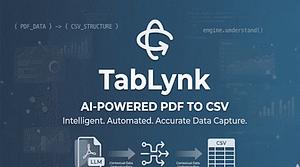
Stop Wasting Hours on Manual Data Entry. Let AI Do the Heavy Lifting.
TabLynk is an AI-powered PDF-to-CSV conversion and data capture tool. It is positioned for people and teams that want to automate document workflows, turn PDFs into structured data, and reduce manual data entry.
At a practical level, TabLynk lets users upload a PDF and extract data into CSV format. The product says it uses an LLM-assisted engine that understands context and header relationships, which suggests it is designed for more than simple text copying. In short, it is built to convert PDF content into organized data that can be reused in spreadsheets or other workflows.
These features point to a workflow-focused product rather than a general-purpose file converter.
TabLynk offers a free Basic plan for individuals and light users. The pricing page says the plan includes 4 AI-powered extractions per month. It also says users can start for free and scale as they grow.
This makes the product easy to test if you only need occasional PDF-to-CSV conversion. The main value proposition is simple: reduce manual work and start at a low cost. The available evidence does not provide exact pricing for paid plans.
Who this is for:
- Individuals and light users who need occasional PDF extraction
- People looking for document workflow automation
- Users who want to try a free plan before committing to a paid tool
Who this is not for:
- Users who need heavy-volume usage on the free tier
- Buyers who need confirmed support for file types beyond PDF
- Teams that need details on integrations, API access, or team features before deciding
- Organizations that require published security, retention, or compliance details
The biggest practical limit is usage volume. The Basic plan includes only 4 AI-powered extractions per month, so frequent users will likely need a paid plan.
There are also information gaps. The available evidence does not provide exact paid pricing, supported file types beyond PDF, integrations, API access, or team features. It also does not spell out data retention rules, security controls, or compliance certifications.
TabLynk does publish a privacy policy, and it says it values privacy and transparency about the technologies it uses. Even so, business buyers may want more detail before adoption.
TabLynk is a focused tool for converting PDF content into structured CSV data. Its strengths are a clear use case, a free entry plan, and template reuse for repeated workflows. For light users, it is straightforward to test. For heavier or business use, the missing pricing and trust details would need follow-up.
TabLynk converts PDF data into CSV using AI-powered extraction.
Yes. The Basic plan is free and includes 4 AI-powered extractions per month.
Yes. The pricing page says users can save and reuse extraction templates.
No. The Basic plan is described for individuals and light users.
No. Those details are not provided in the available evidence.
TabLynk Review: AI PDF to CSV Conversion Tool
TabLynk converts PDF data into CSV using AI. See its key features, free Basic plan, limits, and who it is best suited for.
This is an independent third-party profile of TabLynk AI and is not officially affiliated with the project.
This review is based on publicly available website information and may contain errors or outdated details. Please verify critical details on the official website.
Outbound links may include a referral parameter for attribution.
From the collection · Platform-maintained information, with AI-assisted analysis where available.
Alternatives and adjacent projects worth comparing.


Simple tools related to this project's topics and use cases.
Generate pairing nicknames, fantasy vessel names, and starship names for stories, games, and fandoms.
Create two-part warrior cat name ideas in traditional, mysterious, or outsider-inspired styles.
Add copyable Unicode glitch marks to text with light, standard, or heavy visual intensity.
Generate random numbers from 1 to 4 for quick choices and games.
Generate horse and pony name ideas for companions, stables, stories, and games.
Convert text into copyable Unicode small caps with compact or spaced letter layouts.