Random Animal Generator
Discover a random animal by class, habitat, or size for games, lessons, and creative ideas.
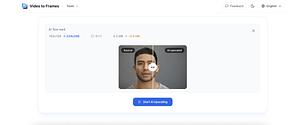
A free browser tool that upscales videos with AI. Processing runs on the device—no account, no upload to a server.
Video to Frames is a free, browser-based tool for extracting still images from videos, which may help anyone who needs individual frames without installing desktop software. The website describes support for JPG and PNG output and frame selection at any FPS, while its privacy claims should be verified against the official privacy policy before uploading sensitive video.
The project appears focused on a narrow, practical task: turning video content into image files. Its free pricing lowers the barrier for occasional use, but the available information does not clearly state supported video formats, maximum file sizes, processing limits, download behavior, or whether an account is required.
This is best suited to users who need occasional frame extraction for reference images, visual review, documentation, or other tasks where a browser tool is more convenient than video-editing software. It may also suit users comparing lightweight online utilities before committing to a larger media workflow.
It is less clearly suited to sensitive footage, high-volume processing, or production workflows until privacy terms, supported formats, file-size limits, output handling, and usage restrictions are verified on the official website. The available information does not identify integrations, batch processing, or advanced controls, so those should not be assumed.
FAQ
Does Video to Frames cost anything?
The tool is described as free. Verify whether the official website imposes file-size, duration, frequency, or other usage limits.
What image formats are supported?
The website describes JPG and PNG output. Confirm the available quality, dimensions, and naming options before relying on it for a specific workflow.
Is uploaded video private?
The service is described as browser-based, secure, and 100% private. For confidential footage, review the official privacy policy and verify whether files leave the device, how long data is retained, and whether an account is required.
The tool is described as free. Verify whether the official website imposes file-size, duration, frequency, or other usage limits.
The website describes JPG and PNG output. Confirm the available quality, dimensions, and naming options before relying on it for a specific workflow.
The service is described as browser-based, secure, and 100% private. For confidential footage, review the official privacy policy and verify whether files leave the device, how long data is retained, and whether an account is required.
Video to Frames Review: Extract JPG and PNG Frames Online
Independent profile of Video to Frames, a free browser-based tool for extracting video frames as JPG or PNG images at selected FPS. Verify privacy and usage limits.
This is an independent third-party profile of Free AI VIdeo Upscaler and is not officially affiliated with the project.
This review is based on publicly available website information and may contain errors or outdated details. Please verify critical details on the official website.
Outbound links may include a referral parameter for attribution.
From the collection · Platform-maintained information, with AI-assisted analysis where available.
Alternatives and adjacent projects worth comparing.


aiimagemerge.com


Simple tools related to this project's topics and use cases.
Discover a random animal by class, habitat, or size for games, lessons, and creative ideas.
Create specific personality traits, relationships, and backstory details for original characters.
Convert text into copyable Unicode small caps with compact or spaced letter layouts.
Pick random dates for planning, testing, and creative prompts.
Generate planet names for science-fiction stories, space games, galaxies, and worldbuilding.
Pick random letters from the alphabet for games, prompts, classroom activities, and quick decisions.